REVIEW · SEOUL
Incheon Airport: Traveler SIM & T-money Transportation Card
Book on GetYourGuide →Operated by Roaming Star Inc · Bookable on GetYourGuide
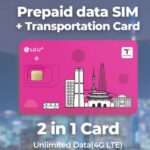
No more airport SIM panic. At Incheon Airport, you grab an LG U+ 4G LTE SIM plus a T-money card, and a staff greeter helps you get data working before you even leave the terminal.
I love how fast the counter part feels. You take a number, they swap or install the SIM, and they check that your phone connects to data. I also love that the T-money card is useful from day one for subways and buses, taps at convenience stores, and even some card-accepting taxis.
One catch: topping up the card can require cash, so plan for that right after you land.
In This Review
- Key Things You’ll Notice Right Away
- Why This Combo Beats Arriving Offline
- Finding the LG U+ Counter: Terminal 1 vs Terminal 2
- What Happens at the Counter (And Why It Matters)
- Your Day-to-Day Internet Plan: 4G LTE + Hotspot
- T-money in Real Life: Subways, Buses, Stores, and Taxis
- The topping-up reality (don’t get caught)
- One useful detail: fewer cards to manage
- Duration Options: From 3 Days to 2 Months
- Device Compatibility: The Stuff That Saves You at 1 AM
- Price and Value: Why $12 Can Be a Smart Deal
- Included vs Not Included: Avoiding Surprise Assumptions
- Who This Is For (And Who Might Skip It)
- Should You Book This Incheon SIM + T-money?
- FAQ
- Where do I pick up the SIM and T-money card?
- What’s included in the package?
- What isn’t included?
- Do I need to unlock my phone first?
- Can I recharge the T-money card with a credit card?
- What about US-bought iPhone 14 models?
Key Things You’ll Notice Right Away
- Staff-assisted activation so you don’t waste time hunting settings on your own.
- 4G LTE with unlimited data plus hotspot usage included.
- SIM and T-money on the same physical pickup, which simplifies your carry.
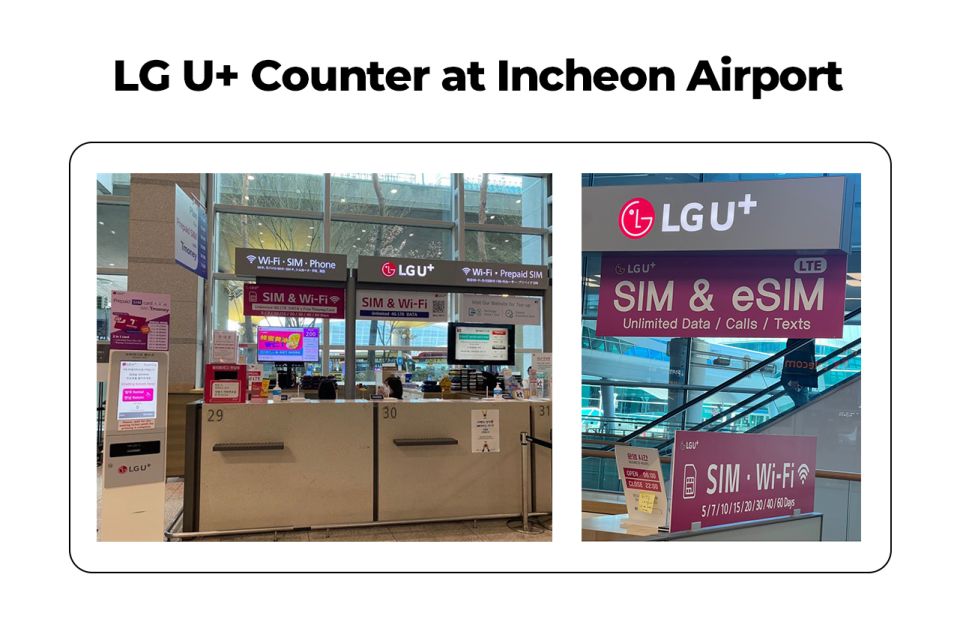
- Clear counter locations at Incheon (Terminal 1 Gate A is often less busy).
- T-money is reloadable, but you’ll want to know your topping-up method before you’re stuck at a station.
- Phone compatibility checks matter, especially if you’re bringing certain US iPhone models.
Why This Combo Beats Arriving Offline
Landing in Korea already tired? Then add one more task: getting online. This setup removes the worst part of that stress. You’re not just buying a SIM. You’re also picking up a transit card you can use immediately, and you get human help at the counter to confirm your connection.
For me, the best value is that you start doing three basic travel things right away: messaging, map-checking, and moving around the city. The included unlimited 4G LTE is the backbone, while the T-money card keeps you from fumbling with cash every time you hop on the subway or bus.
The other big win is the “activation support” angle. Many people arrive at the airport and then spend 30–60 minutes on trial-and-error settings. Here, the counter staff help you test right there so you can get going.
You can also read our reviews of more tours and experiences in Seoul



Finding the LG U+ Counter: Terminal 1 vs Terminal 2
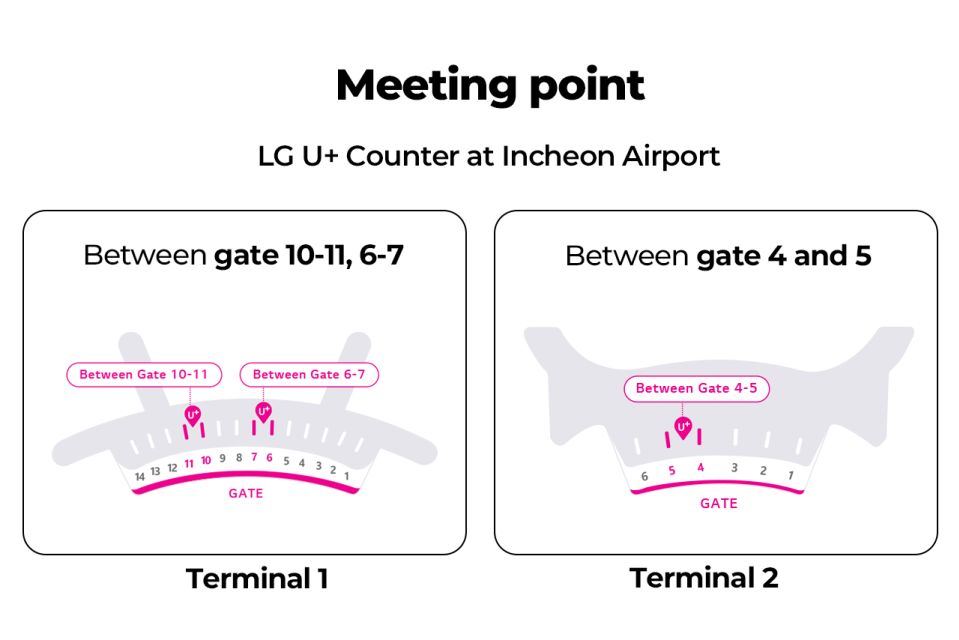
This pickup happens at LG U+ counters inside Incheon Airport. Your options:
- Terminal 1, Gate A (recommended since it tends to be less busy)
- Terminal 2, Gate F, at Gate 3–4 or Gate 4–5
In plain terms: after you clear customs, you’re heading toward an obvious SIM/roaming card area with big signage. People say it’s usually easy to spot the desk, but it can still involve a short walk once you’re out of the arrival flow.
If you want the smoothest first minute, lean toward Terminal 1 Gate A when it matches your landing terminal. If you end up in Terminal 2, Gate F is still a solid bet, and at least one note points out a 24-hour counter by Gate F, which is reassuring if your flight lands late.
What Happens at the Counter (And Why It Matters)
Here’s the real “experience” part: you show up with your phone, they hand you the SIM setup, and they make sure the phone actually works on data.
You’ll usually:
- Take a number (there’s often a queue system).
- They activate and install your Data SIM.
- They help you test that your phone is connected to mobile data.
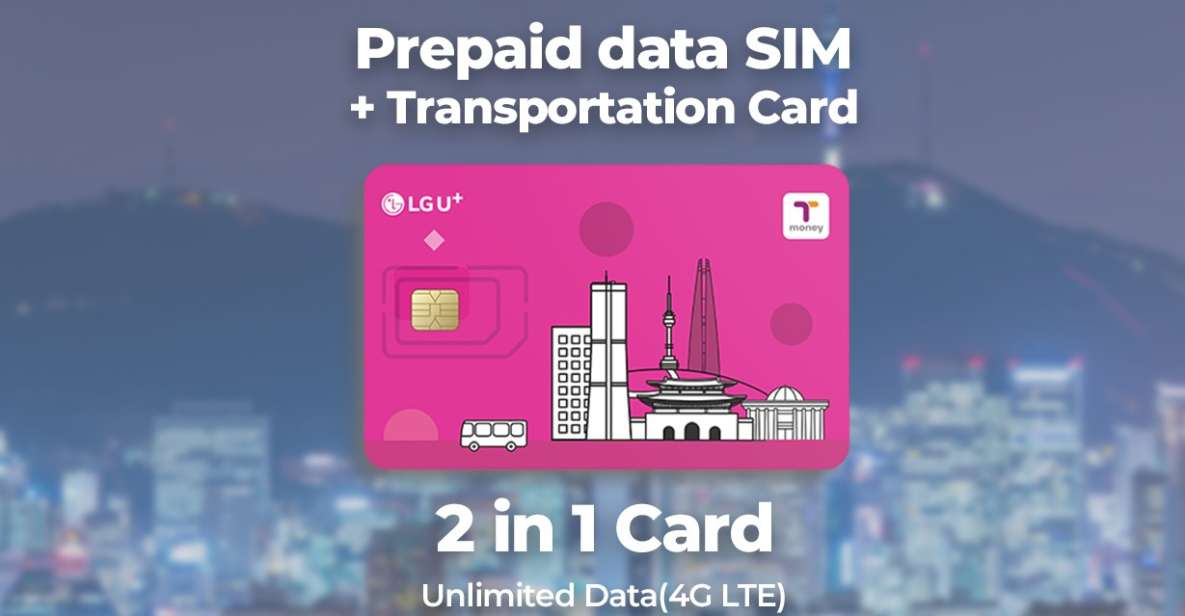
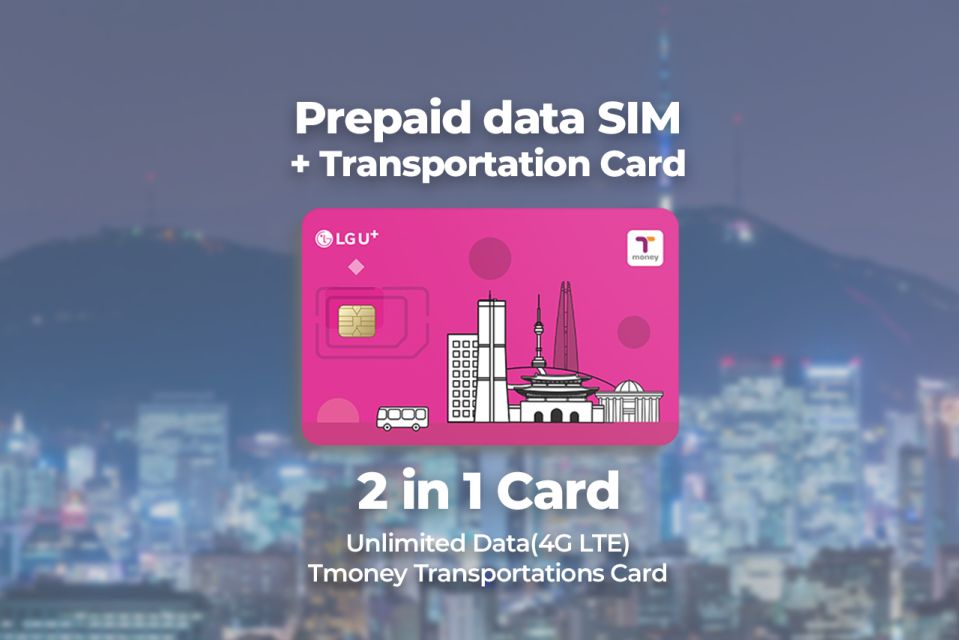
- You receive a T-money transportation card as part of the same physical pickup.
What I like about this process is that it’s not just theoretical. Several people describe staff working quickly—often within minutes—and being patient if there’s a question about setup or settings. One practical tip to remember: the staff can help a lot, but it helps if your phone is ready for a new SIM (more on that later).
Also, note that the T-money card is separate from the data SIM’s job. The staff will get it in your hands, but you still need to charge it before tapping into transit.
Your Day-to-Day Internet Plan: 4G LTE + Hotspot
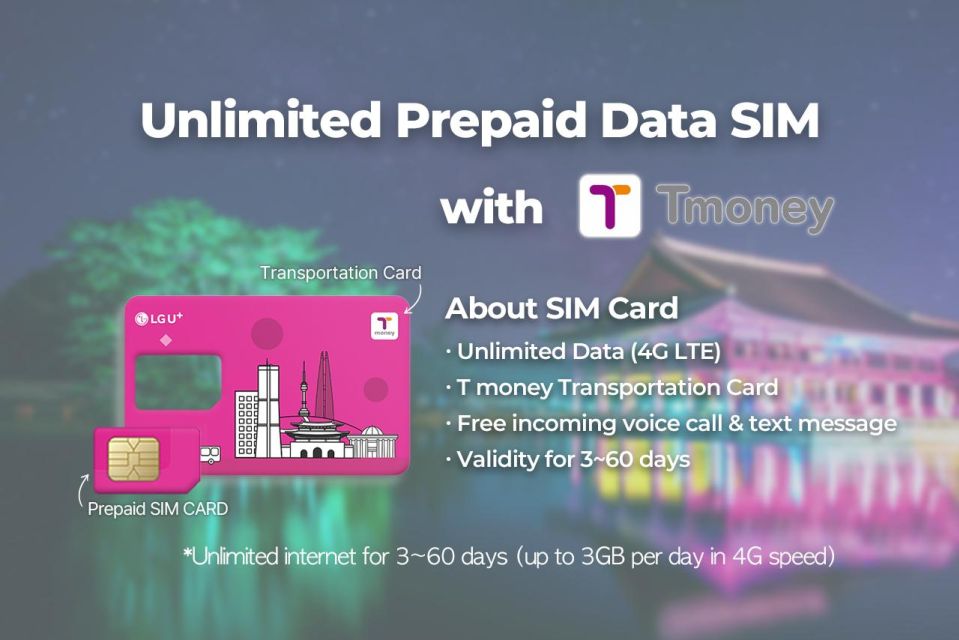
The data package includes:
- Unlimited 4G LTE data
- Hotspot usage
- Incoming calls and text messages
That means you’re not just browsing. You can keep in touch with friends and family, share photos, and handle logistics like checking transit routes. If you plan to use a tablet or laptop as well, hotspot is the key feature here, since it’s included.
A small but important detail: outgoing calls and outgoing texts aren’t included. So if you rely on sending lots of messages by phone number, you’ll want to use internet-based apps (like most people already do while traveling). The good news is you can still receive calls and texts over the line if you’re using that number for coordination.
In everyday terms, you’ll use the connection for:
- Maps and rerouting
- Calling up reservation details
- Communicating with hotels and drivers
- Posting and uploading without hunting for Wi‑Fi
And since it’s a physical SIM setup at the airport counter, you avoid the common first-day frustration of not knowing whether your phone is set up correctly.
T-money in Real Life: Subways, Buses, Stores, and Taxis
The T-money card is designed for quick taps around Korea. Based on the info you’re given at pickup and how people describe usage, it’s for:
- Subways and buses
- Convenience store purchases (tap-to-pay style)
- Certified taxis that accept cards (so you’re not scrambling for cash)
But you must remember one simple rule: charge the card before using it. More than a few notes point out that recharging can be the part that surprises people.





The topping-up reality (don’t get caught)
One clear heads-up: at least one person says the transportation card cannot be recharged with a credit card, meaning you’ll want cash ready for the recharge machines. Another note also explains they could top up at the airport machine, but later used a convenience store.
So my practical advice is:
- Bring some cash soon after landing.
- If you’re using reloading machines, expect to use cash rather than card.
- If you prefer doing it in town, convenience stores and stations are mentioned as practical options.
One useful detail: fewer cards to manage
You also get both the SIM and the T-money card from the same physical pickup. That’s a small detail, but it’s the kind that keeps your first day from turning into a shuffle of cards and receipts.
Duration Options: From 3 Days to 2 Months
The service is offered in a 3 days–2 months range. That matters because Korea trip styles vary a lot:
- Short city breaks: a few days of connectivity and transit taps
- Longer stays: you want one setup and less administrative hassle
- Road-trip pace: you’ll use data constantly for maps and transit changes
Your specific starting times depend on availability, so if your dates are tight, check your options before you lock in.
Also keep in mind there’s a rule: the maximum number of purchases per passport is 3. If you’re a family buying multiple SIMs for multiple devices, plan the number ahead.
Device Compatibility: The Stuff That Saves You at 1 AM
This service expects your phone to work with a foreign carrier SIM. The key “know before you go” items:
- Make sure your phone is fully able to accept a different provider SIM.
- This is especially important if your phone is from the United States, Canada, Japan, or the Philippines.
- If you have an iPhone 14 purchased in the United States, it doesn’t have a physical SIM tray and supports only eSIM.
That last one is the big red flag. Because your pickup is described as a SIM card with physical sizes (nano/micro/normal), a US iPhone 14’s eSIM-only limitation could mean you need a different setup than this physical-SIM flow.
If you’re unsure, check two things before you travel:
- Can your phone use a physical SIM (not just eSIM)?
- Is your phone set up to accept another carrier SIM?
And if you’re traveling with an older phone, the counter setup may be especially helpful, since staff can handle the installation steps for you.
Price and Value: Why $12 Can Be a Smart Deal
The price is listed at $12 per person, and it looks small until you compare it to the cost of your time at the airport.
You’re paying for:
- Unlimited 4G LTE (with hotspot)
- Incoming calls and texts
- A T-money card that can reduce friction in your first rides
- Counter support that checks your data connection
So the value isn’t just the data. It’s the fact you’re buying fewer unknowns. When you’re online, you can make better decisions instantly: where to go next, how to get there, and how to avoid wasted transfers.
One review note also suggests it can be a bit cheaper than buying on-site at some airport options. Even if prices vary, the bigger point is that you’re reducing the odds of buying the wrong thing or setting it up slowly after arrival.
Included vs Not Included: Avoiding Surprise Assumptions
Here’s what you’re explicitly getting:
- Data SIM card (nano/micro/normal) with unlimited 4G LTE data
- Public transportation card (needs charging)
- Hotspot usage
- Incoming calls and text messages
Not included:
- Outgoing calls and text messages
- Identity verification service
The identity verification note matters mainly if you expected extra steps beyond SIM activation. For most straightforward phone setup, you just want the SIM working and the transit card ready.
Who This Is For (And Who Might Skip It)
This is a strong match if you:
- Want your trip to start with data + transit already sorted
- Don’t want to gamble with phone settings right after a long flight
- Like the convenience of a T-money card without extra trips to figure it out
This may be less ideal if:
- You have an iPhone 14 bought in the US and can only use eSIM
- You already travel with a plan that covers South Korea well (then you’re mostly buying transit convenience, not data)
If you’re the type who enjoys being organized at arrival, this kind of airport pickup is exactly the right “first step” to keep your schedule calm.
Should You Book This Incheon SIM + T-money?
If you want a quick, reliable start, I’d book it. $12 is modest for unlimited 4G LTE plus hotspot, and the staff check at the counter means you’re not wandering around the airport trying to fix a settings problem.
My decision rule is simple: if you don’t want to fight your phone on arrival, this works in your favor. Just go in prepared—especially with phone compatibility and having some cash ready for T-money top-ups.
FAQ
Where do I pick up the SIM and T-money card?
You pick it up at the LG U+ Counter at Incheon Airport Terminal 1 Gate A (recommended if you want less busyness) or at Terminal 2 Gate F at Gate 3–4 or Gate 4–5.
What’s included in the package?
It includes a data SIM card with unlimited 4G LTE data, a public transportation card (T-money) that needs charging, hotspot usage, and incoming calls and text messages.
What isn’t included?
The package does not include outgoing calls and outgoing text messages, and it also does not include identity verification service.
Do I need to unlock my phone first?
Yes. You’re asked to make sure your phone is able to be used with a different provider SIM, especially if your phone is from the United States, Canada, Japan, or the Philippines.
Can I recharge the T-money card with a credit card?
One review notes that you may need cash to recharge the transportation card, since it can’t be charged with a credit card.
What about US-bought iPhone 14 models?
The info says iPhone 14 models purchased in the United States don’t have a physical SIM tray and support only eSIM, so you should double-check device compatibility before relying on a physical SIM setup.